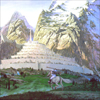
Adding a completely new Elven faction with unique units to the game |
| Welcome Guest ( Log In / Register ) |
|
 |
Quick Lists Top RatedTutorials Living World Map G… Ultimate beginner'… Arrow scaling bug… Raising Heroes max… Proper Fire Arrow… Creating an asset.… Simple Structure B… Making a simple Ma… Quick and easy sno… Making patrols nea… Mods The Dwarf Holds The Peloponnesian… RJ - RotWK The Elven Alliance… Helm's Deep Last H… The Elven Alliance Special Extended E… Kings of the West… RC Mod The Wars of Arda Downloads BFME1 1.06 Widescr… Enhanced W3D Impor… Fudge's Map Pack LotR/BfME HD Logos Osgiliath Shellmap Crystals Of Ancien… 2v1 Wold The forests of Dru… Converted BFME2 an… ROTWK animations f… |
||||||||||||||||||||||||||||
 |
Register and log in to move these advertisements down Adding Morthond Bowmen into a mod
Welcome to my second article. I've noticed a lot of topics lately discussing/asking how to put a new model in game. (Once the modeling/binding/textures are complete). So I thought I'd take time out and write a start to finish guide on how to do this. I will be using Rise of the Witchking as the base for this article. Thank you to Nertea for allowing me to use his Bowman of Morthond in this article. The areas that will be covered include: 1) Building the asset.dat file with assetcachebuilder 2) File layout and organization 3) How to create a simple mod with the -mod command 4) adding the coding for the new unit: - Choosing and using a base object - Modifying the code as needed - Adding all the additional entries in the other files - Creating/modifying the horde object 5) Add the bannercarrier as well as using the morphmodelcondition 6) Add your unit artwork into the game (button images & portraits) 7) Add the AI information in order for the AI to build the new units (BFME2 & RotWK) 8) Add the appropriate string entries into the lotr.str file 9) Allow the unit to be added to the WotR and buildable on the living map 10) Bringing everything together in the small .big file to play the game So without anything further, let's begin: Next Page: Creating your asset.dat file Links / Downloads
CommentsDisplay order: Newest first | Page: 1, 2 modboy451 - Friday December 3, 2010 - 13:04 you could be a little for clear on where to place the .tga and.w3d files(maybe add spme space inbetween lines) otherwise It was a great tutorial! BigBrainiac - Monday October 25, 2010 - 16:27 This is a good, well written article. Rob38 (Team Chamber Member) - Monday September 6, 2010 - 18:53 Some of the material such as the AI and WOTR mode will not work for BfME1. Most of the general information though should be applicable to BfME1 modders. Souske22 - Monday September 6, 2010 - 17:58 Ok rather stupid question buuut I was wondering would this Tutorial also work for BFME1 to replace models? Asking so I dont kinda waste time reading this and following the steps to replace regular gondor soldiers with Numenorian Models. acidRain - Wednesday June 23, 2010 - 7:33 Hmm...well, I followed all the instructions - to the letter - and my model's still invisible. If it helps, I attempted xxxMr. Xxxx's Aragorn bow/sword model. I'm no novice to coding, but modeling and skinning absolutely baffles me. {AE}Manveru - Tuesday September 1, 2009 - 12:08 @Kingeragon007, did you compile your asset.dat properly? And add it into the .big file? *Kingeragon007* - Saturday August 9, 2008 - 20:17 hey im new around here, Tar-Palantir - Tuesday May 6, 2008 - 18:36 @ lycan, Robnkarla's using RoTWK, you're probably using BFME I or BFME II so the locomotors have diferent names, I suggest you check some other file to see what they're called. Centurion - Monday March 24, 2008 - 22:46 I keep getting this message: lycan - Monday October 1, 2007 - 12:45 i did everything, |
 |
||||||||||||||||||||||||||||

"One site to rule them all, one site to find them, © All Rights Reserved Eric Edwards ©2013. |
||||||||||||||||||||||||||||||