The 3rd Age

BFME II: Deluxe Edition

BFME II: Deluxe Edition

Fixing problems with BFME 2 and giving it more depth.

Button for The 3rd AgeButton for The HiveButton for The Rhovanion AllianceButton for The Elven AllianceButton for The Four AgesButton for CNC3.NetButton for Age of MenButton for Atomic WienerdogButton for Helms Deep : Last HopeButton for OpenWarButton for Schlacht-um-MittelerButton for Lord Of the Rings FilesButton for Middle Earth CenterButton for BFME Game ReplaysButton for HDR HeadquartersButton for RTS Community

Become an affiliate!


Quick Lists

Top Rated Popular New Updated Last Comments Users

Register and log in to move these advertisements down

Free Models/Skins from The Dead Player

Avatar of TheDeadPlayer

TheDeadPlayer

Category: Resources
Created: Sunday March 25, 2007 - 9:18
Updated: Sunday August 17, 2008 - 3:37
Views: 8632
Summary: Here you can download some free models/skins made by The Dead Player

Rating

Staff says

4.3

Members say

4.7

Average

4.6/5.0

17 votes

Below you can download some models and textures from the BFME 2 Deluxe Edition, which has been discontinued. Don't forget to give credit. (To find the files go to the bottom of this page in the Link/Download section!)


Rohan Warrior
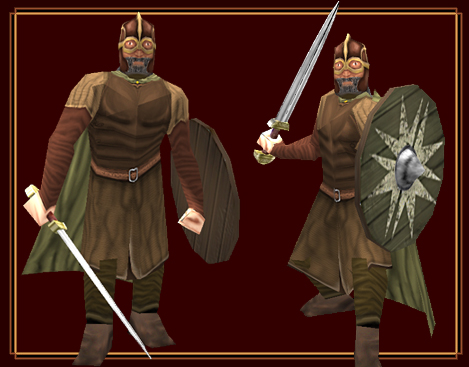
User image
              
Code

Model Name: ruwarrior.w3d
Skeleton: gumaarms_skl.w3d
Textures Names:
Normal:
- ruspearman.tga
- rushield.tga
- ruwarweap.tga
Forged Blade:
- exlnzflar2.tga
Upgrades:
- Forged Blade


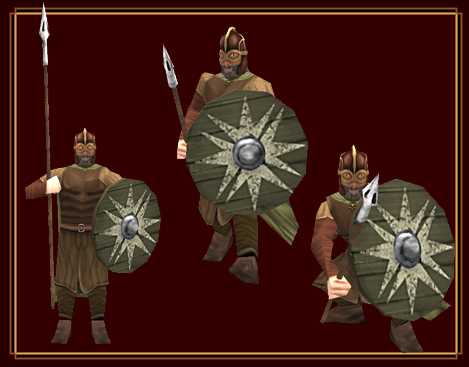
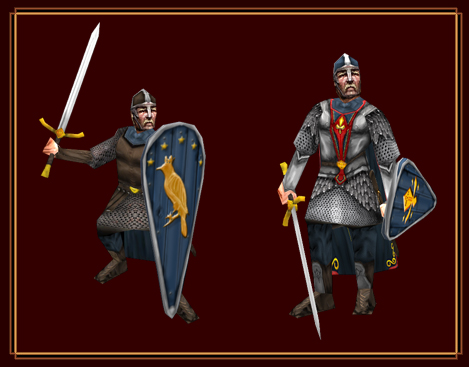
Rohan Spearman
User image
              
Code

Model Name: ruspearman.w3d
Skeleton: gutowergrd_skl.w3d
Textures Names:
Normal:
- ruspearman.tga
- rushield.tga
Forged Blade:
- exlnzflar2.tga
Upgrades:
- Forged Blade


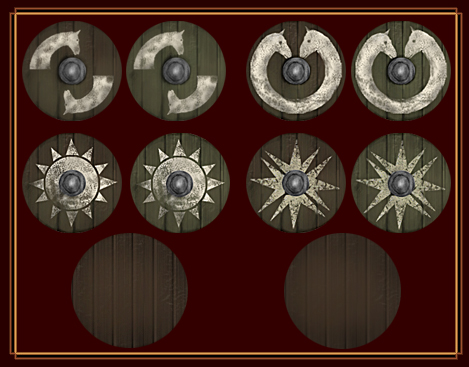
Rohan Reskin Pack
User image
              
Code

Model Name: ruspearman.w3d
Skeleton: gutowergrd_skl.w3d
Textures Names:
Normal:
- rushield.tga
- rushield01.tga
- rushield02.tga
- rushield03.tga
- rushield04.tga
- rushield05.tga
- rushield06.tga
- rushield07.tga


Men of Dale
User image
              
Code

Model Name: DUMODSWD.w3d
Skeleton: gumaarms_skl.w3d
Textures Names:
Normal:
- dumenofdale.tga
- dumendalecloak.tga
- dumodshield.tga
Heavy:
- dumenofdale_ha.tga
- dudalecloak_ha.tga
- dumodshield_ha.tga
Normal Sword:
- dumodsword.tga
Forged Blade:
- dumodsword_ha.tga
Upgrades:
- Forged Blade
- Heavy Armor


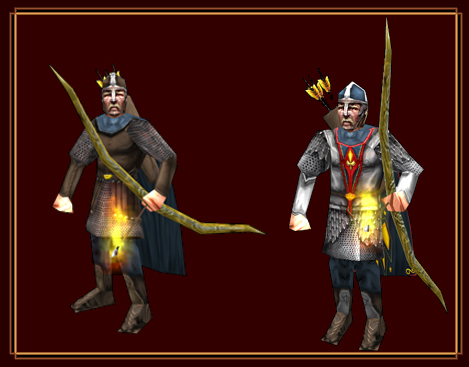
Archers of Dale
User image
              
Code

Model Name: DUMODBOW.w3d
Skeleton: guarcher_skl.w3d
Textures Names:
Normal:
- dumenofdale.tga
- dumendalecloak.tga
Heavy:
- dumenofdale_ha.tga
- dudalecloak_ha.tga
Upgrades:
- Fire Arrows
- Heavy Armor


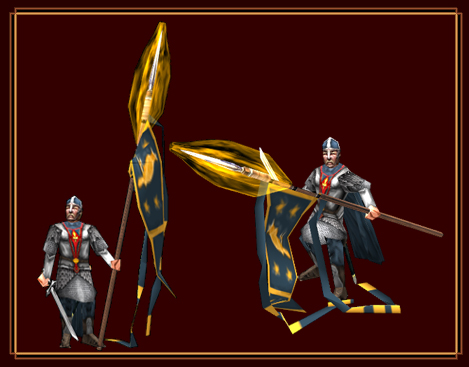
Dale Banner
User image
              
Code

Model Name: DUDALEBN.w3d
Skeleton: gubanner_skl.w3d
Textures Names:
- dumenofdale.tga
- dudalebanner.tga
- dumendalecloak.tga


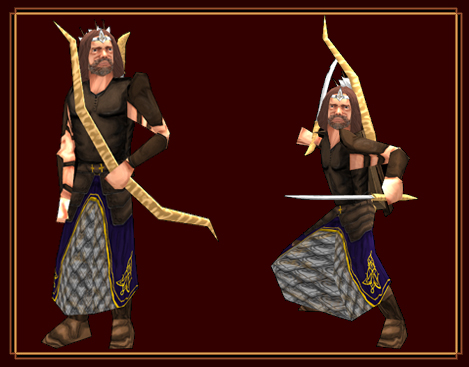
King Brand
User image
              
Code

Model Name: DUKINGBRAND.w3d
Skeleton: rulegolas_skl.w3d
Textures Names:
- dukbrand.tga


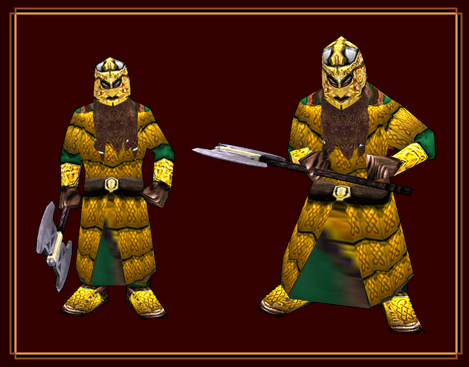
Khazad Guard
User image
              
Code

Model Name: DUKHAZGUA.w3d
Skeleton: rugimli_skl.w3d
Textures Names:
- dukhazad.tga
- dukazweap.tga


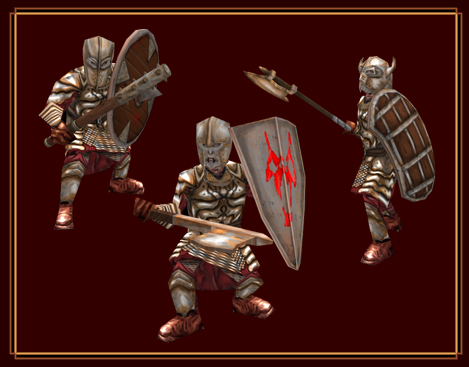
Morgul Warriors
User image
              
Code

Model Name: MuMorgul.w3d
Skeleton: chss_gb_skl.w3d
Textures Names:
- muhelmets.tga
- mumorgul.tga
- mushields.tga
- mushields2.tga
- muweap.tga
- muweap2.tga
Elements Names:
Shields:
- shield01
- shield02
- shield03
- shield04
- shield05
Hemlets:
- helmet01
- helmet02
- helmet03
- helmet04
Weapons:
- weap01
- weap02
- weap03
- weap04
- weap05
- weap06
- weap07
For that unit be completely functional you have to use the LUA system, a tutorial about it is coming so be patient!


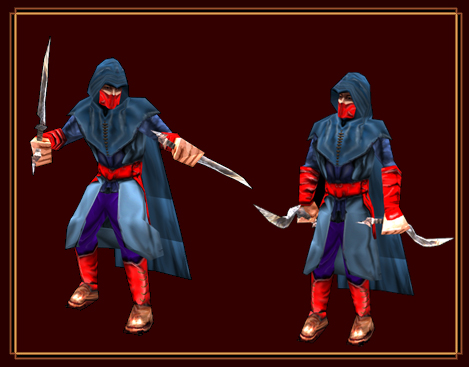
Assassin
User image
              
Code

Model Name: MUHASS_SKN.w3d
Skeleton: mucorsar_skl.w3d
Textures Names:
- muhass.tga
- muhasscloak.tga


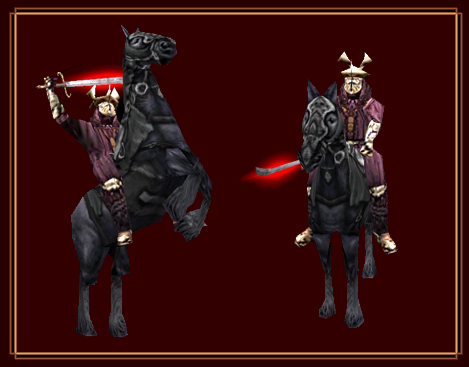
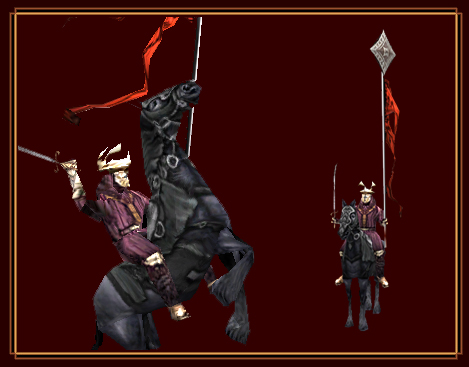
Rhûn Riders
User image
              
Code

Model Name: MUEASTCA_SKN.w3d
Skeleton: gucavalry_skl.w3d
Textures Names:
Normal:
- mueastcav.tga
- mueastern.tga
- swrd_01.tga
Heavy:
- mueastcav.tga
- mueastern_ha
- swrd_01.tga
Upgrades:


Rhûn Rider Banner
User image
              
Code

Model Name: mueahrsban_skn.w3d
Skeleton: rurrmbnr_skl.w3d
Textures Names:
- mueastcav.tga
- mueastern.tga
- swrd_01.tga
- mueasterban.tga


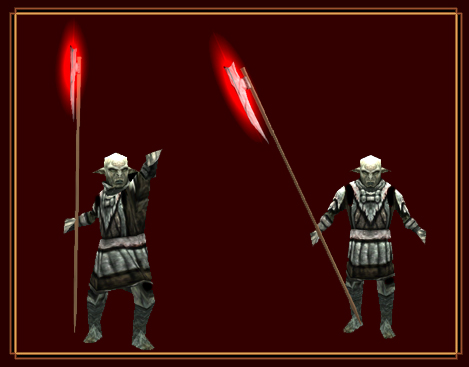
Orc pikemen
User image
              
Code

Model Name: mupikeman_a.w3d and mupikeman_b.w3d
Skeleton: iupikeman_skl.w3d
Textures Names:
- muorcwarr.tga
- mupikbois.tga
- mupikl1.tga
- mupikl2.tga
Upgrades:
- Forged Blade


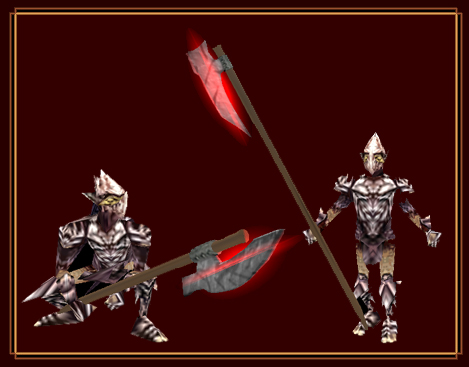
Goblins Pikemen
User image
              
Code

Model Name: wupikeman_a.w3d and wupikeman_b.w3d
Skeleton: iupikeman_skl.w3d
Textures Names:
- mugblnswrd.tga
- mupikbois.tga
- mupikl1.tga
- mupikl2.tga
Upgrades:
- Forged Blade
- Heavy Armor


© All Rights Reserved Clément Roy | The Dead Player.
You can use and edit them like you want but you shouldn't forget that they are not yours, those models have been made by The Dead Player and he's the legitimate author. No support will be provided.

Links / Downloads

 HitsAdded
Rohan Spearman110August 17, 2008 - 3:35
Rohan Warrior108August 17, 2008 - 3:35
Rohan Shields Reskin Pack76August 17, 2008 - 3:34
Rhûn Rider478July 1, 2007 - 7:57
Orc Pikeman555April 21, 2007 - 21:44
Goblin Pikeman569April 21, 2007 - 21:43
Orc Pikeman529April 21, 2007 - 21:42
Rhûn Rider Banner590April 21, 2007 - 21:42
Assassin642April 21, 2007 - 21:41
Morgul Warriors643April 21, 2007 - 21:40
Khazad Guard554April 21, 2007 - 21:39
King Brand538April 21, 2007 - 21:39
Dale Banner505April 21, 2007 - 21:39
Archers of Dale524April 21, 2007 - 21:38
Men of Dale601April 21, 2007 - 21:38
Screenshots and Renders667March 25, 2007 - 9:37

Credits

2playgamesDeluxe Edition Team Leader

Comments

Display order: Newest first | Page: 1, 2, 3

dethwaker3 - Friday October 31, 2008 - 21:25

King Brand have w3d error when I try to use it

Edit: Nvm it worked.

And yea...the shield texture is invisble...

TheWickedOne - Saturday October 4, 2008 - 17:35

The Rohan Fighters don't work for me, their shield texture does not appear. The rest work. I send you a message, i would appreciate it if you would help me DeadPlayer, I do have the asset.dat right if your wondering.

ILUTAVAR - Sunday March 23, 2008 - 9:44

cool, nice Rhûn riders

Centurion - Tuesday November 6, 2007 - 21:36

I'm really having trouble with the Morgul Orcs. How do I add them so they have differing helmets, shields and weapons in each horde like the Mordor Orcs?

--------

Never mind, totally ignore my previous comment. Great models though!

Shane - Saturday September 22, 2007 - 1:36

Love the skins, but got one question, can u point me to a tutorial that will help me to add these to my game?

New to this, so sorry I had to ask!

Ultama - Sunday August 19, 2007 - 11:48

How can we add this to the game O.o these look supremely AWSOME!

MorgulLordWitchKing - Thursday August 9, 2007 - 23:29

all of them works!

MorgulLordWitchKing - Thursday August 9, 2007 - 23:25

nice

Guess Who - Wednesday July 25, 2007 - 5:00

this is amazing everything except king brand he just ruins it :P

2playgames (Administrator) - Thursday July 19, 2007 - 11:02

There are other tutorials for that, such as this one:
http://www.the3rdage.net/item-183
It works the same for all models

Go to top


"One site to find them all, one site to guide them,
one site to host them all, and on the network bind them."

 
14:00:48