
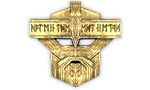
This mod adds a fully functional Dwarf faction to the game. Based on the now-defunct RA mod. |
| Welcome Guest ( Log In / Register ) |
|
 |
Quick Lists Top RatedTutorials Living World Map G… Ultimate beginner'… Arrow scaling bug… Raising Heroes max… Proper Fire Arrow… Creating an asset.… Making a simple Ma… Simple Structure B… Quick and easy sno… Making patrols nea… Mods The Dwarf Holds The Peloponnesian… RJ - RotWK The Elven Alliance… Helm's Deep Last H… The Elven Alliance Special Extended E… Kings of the West… RC Mod The Wars of Arda Downloads BFME1 1.06 Widescr… Enhanced W3D Impor… Fudge's Map Pack LotR/BfME HD Logos Osgiliath Shellmap Crystals Of Ancien… 2v1 Wold The forests of Dru… Converted BFME2 an… ROTWK animations f… |
|||||||||||||||||||||||||||||||
 |
Register and log in to move these advertisements down
The Mysterious PorterTutorial for
I think that this little file will help you. It works in BfME1 but has not been tested for BfME2 or RotWK. This article will tell you how to make porters playable and usable. The porter function: when bougth the porter then you manually select a Horde/Unit to grant the upgrade or select the Deliver To The Nearest command to automaticly deliver it to nearest possiable Horde/Unit if not possiable then the porter won't move. When delivered the porter will vanish(die). "<-" = the changes and helpful tips Note: Not all changes are necessary, but helpful. First, change these in CommandButton.ini:
Second, in Commandset.ini:
CreditsCommentsDisplay order: Newest first clank234 - Monday December 20, 2010 - 4:39 I gave it a 2 but if you explain what you're editing then i will change my mind. I can use this code as the game does most of the work for you. modboy451 - Thursday December 16, 2010 - 17:29 Please say what this tutorial is getting at!!! Elrond99 - Thursday December 16, 2010 - 15:57 Nice finding, although it´s not new to me, I believe it could help many people and I like to see those porters being used |
 |
|||||||||||||||||||||||||||||||

"One site to rule them all, one site to find them, © All Rights Reserved Eric Edwards ©2013. |
|||||||||||||||||||||||||||||||||


 BFME
 BFME 2
 ROTWK


